Import and Export
Teluyo supports both editor project archives and deployable website archives.
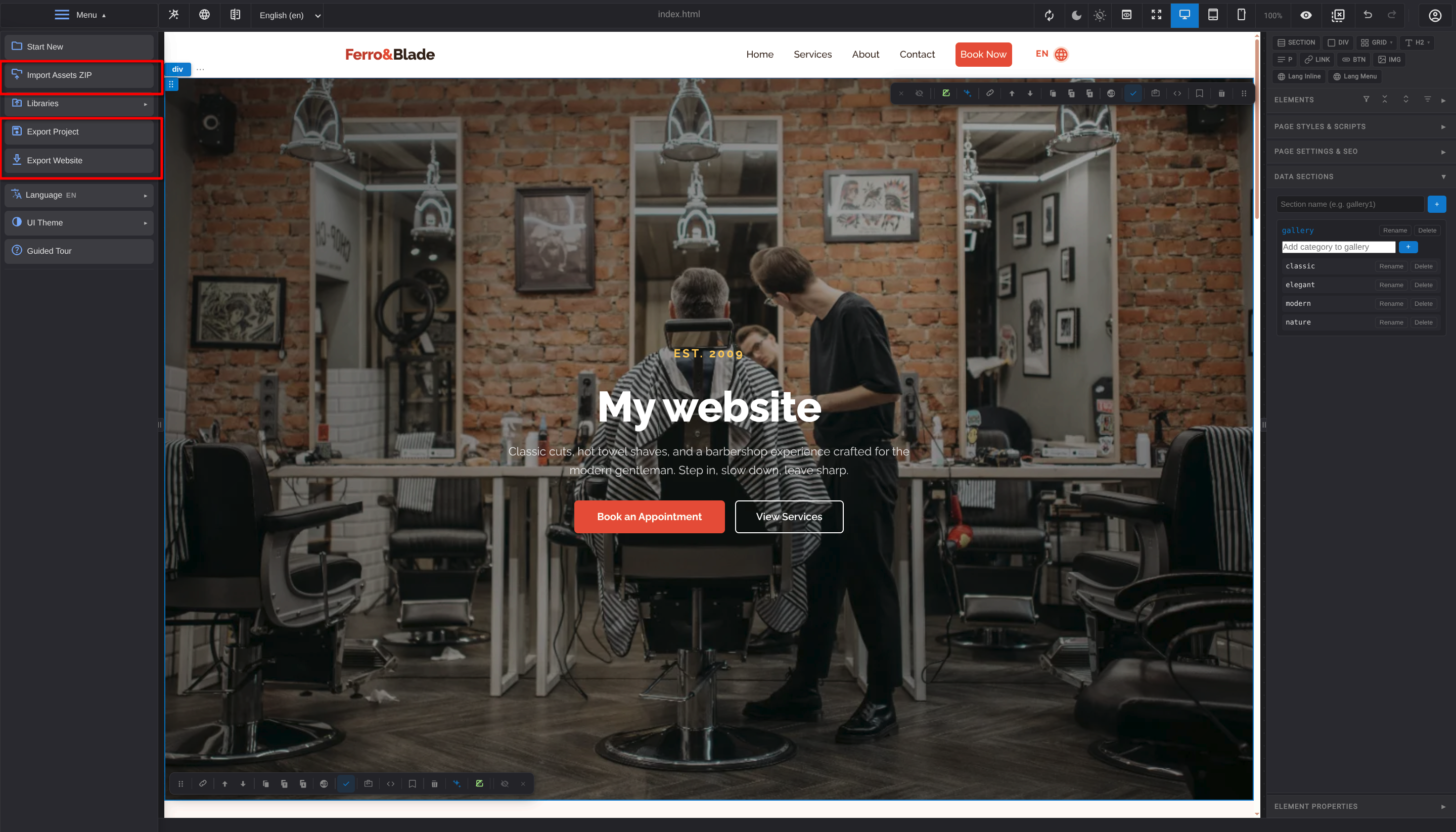
Project Archive Export
Use Export Project to save the full editable Teluyo project. This preserves files, folders, reusable blocks, libraries, translations, SEO settings, and editor settings.
Project archives are intended for reopening in Teluyo.
Website Export
Use Export Website to produce a website ZIP suitable for hosting. Export can include pages, assets, styles, scripts, translations, and license-related files when required.
Custom Website Export
The custom export modal supports:
- Export website ZIP with all files.
- Save a static asset URL prefix.
- Export assets as a separate ZIP.
- Export website ZIP without assets.
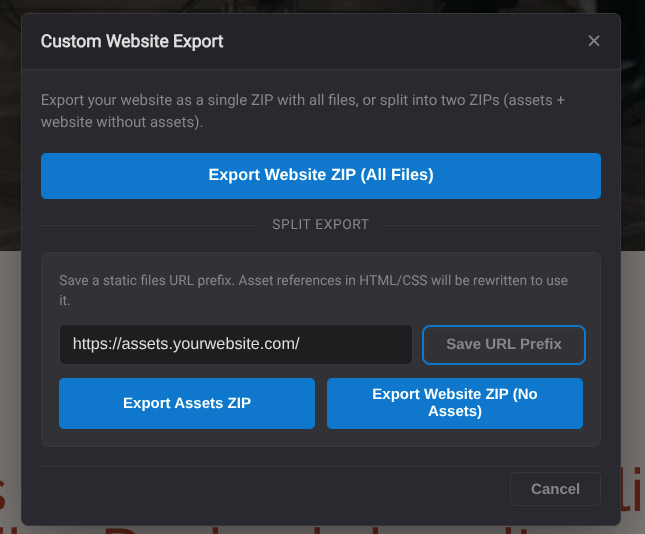
This is useful when assets are hosted separately on a CDN or static file service.
Asset ZIP Export
The asset export flow packages project assets separately. This can be paired with a website ZIP that references assets through a saved URL prefix.
Import From ZIP
Opening from file can import:
- Teluyo project archives.
- Website ZIP archives with manifest data.
- Legacy ZIP formats.
If a website ZIP is missing required project information or the home page is missing, Teluyo shows a guided warning.
Import From URL
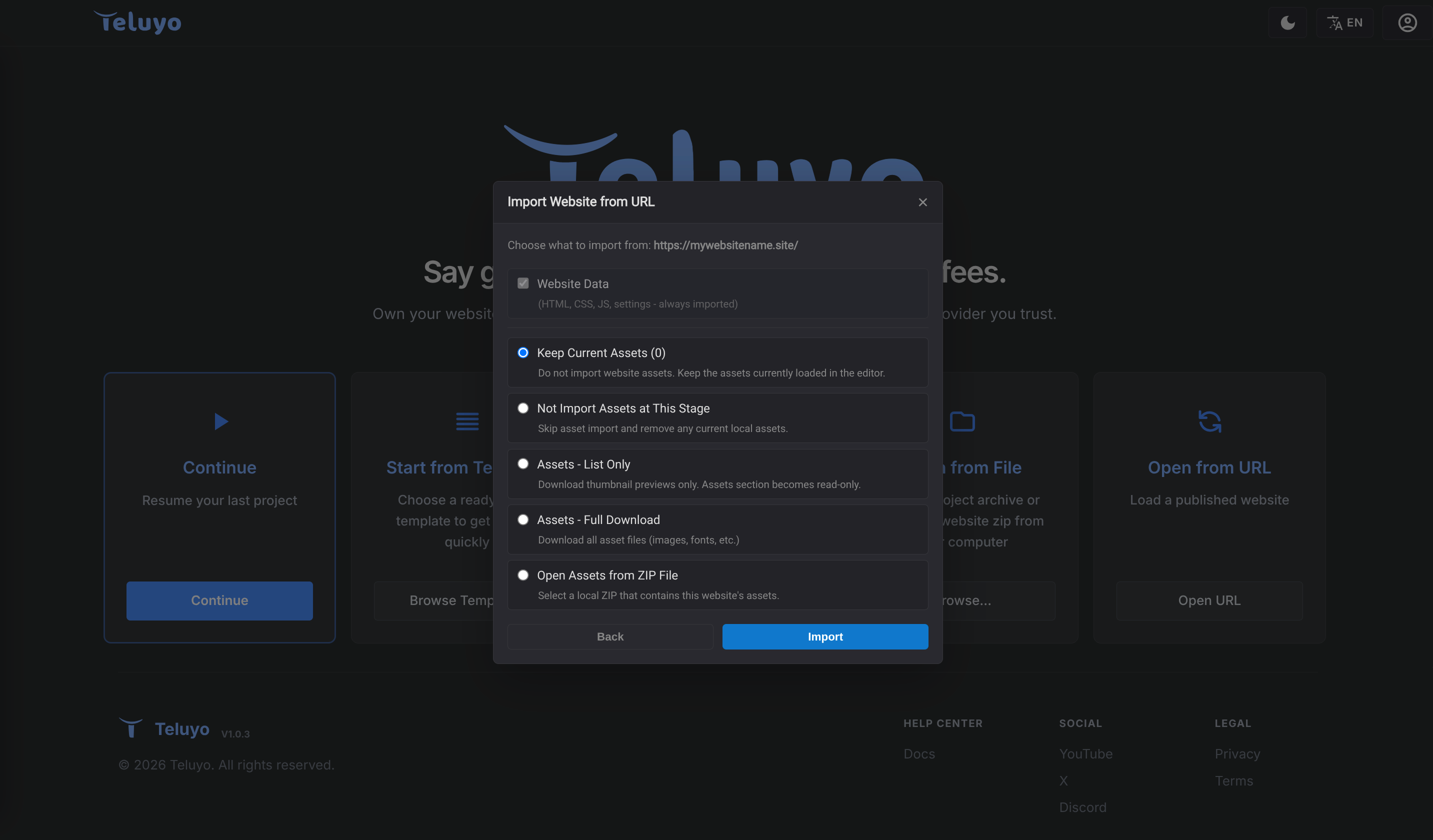
Import from URL can load a published website. The flow can use licensed domains or a custom website URL.
Default Website Theme
The default website theme setting controls what theme exported visitors see the first time they open the site. Visitors can still switch themes later if the site includes theme controls.