Multilingual Sites
Teluyo includes a multi-language editing system for website text, image alt text, data attributes, SEO fields, and language switchers.

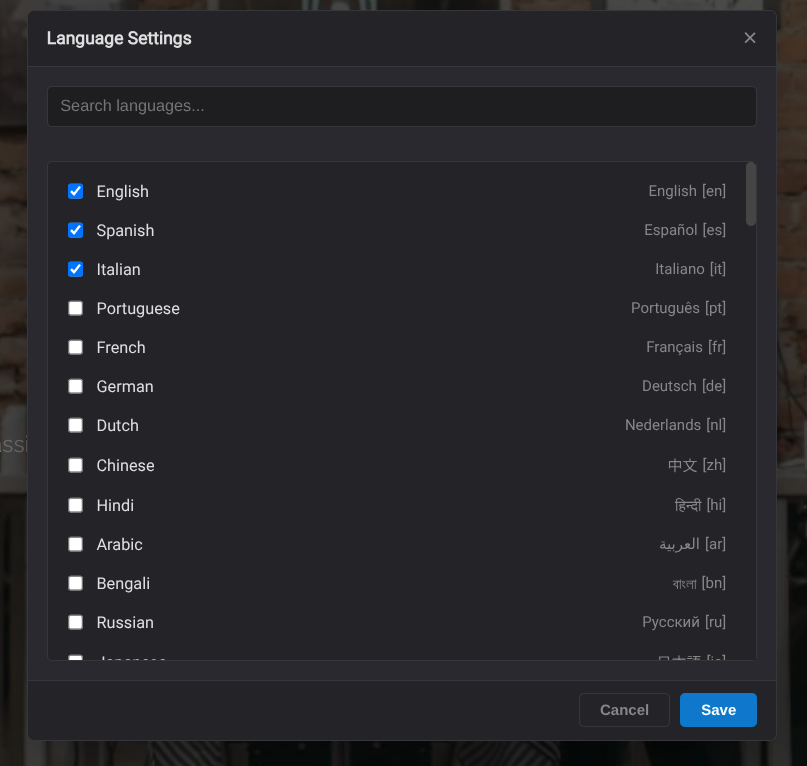
Language Settings
Open Language Settings from the top bar. Users can select enabled languages and choose a default language. The default language is the fallback when a translation is missing.
Preview Language
When more than one language is enabled, the top bar shows a preview language selector. Changing it updates the page preview to show the selected language.
Translation Data
Teluyo keeps translation values for each enabled language. When a translation is missing, the site falls back to the default language.
Text Management Center
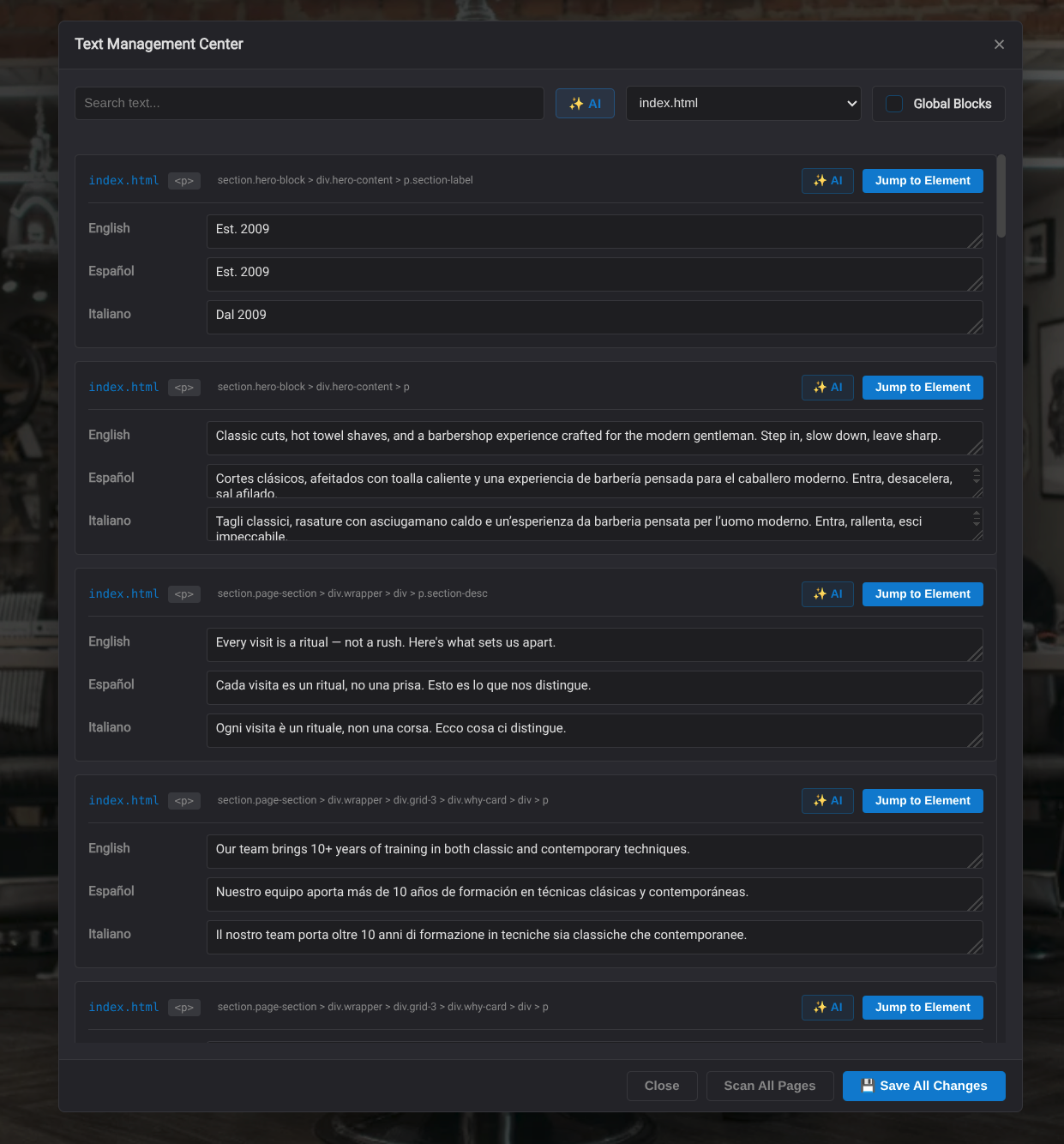
The Text Management Center scans pages for editable text and lets users manage translations in bulk. It can save all changes and includes AI assistance for translation, grammar checks, and rewriting.

The Text Management Center shows the website text for every enabled language in one place. You can filter the list by page and by global block, then edit or translate only the entries you need.
This is especially useful for AI tasks because Teluyo sends only the selected text to the AI, instead of sending the whole website or an entire page. That keeps token usage low and makes translation, rewriting, and correction tasks much cheaper.
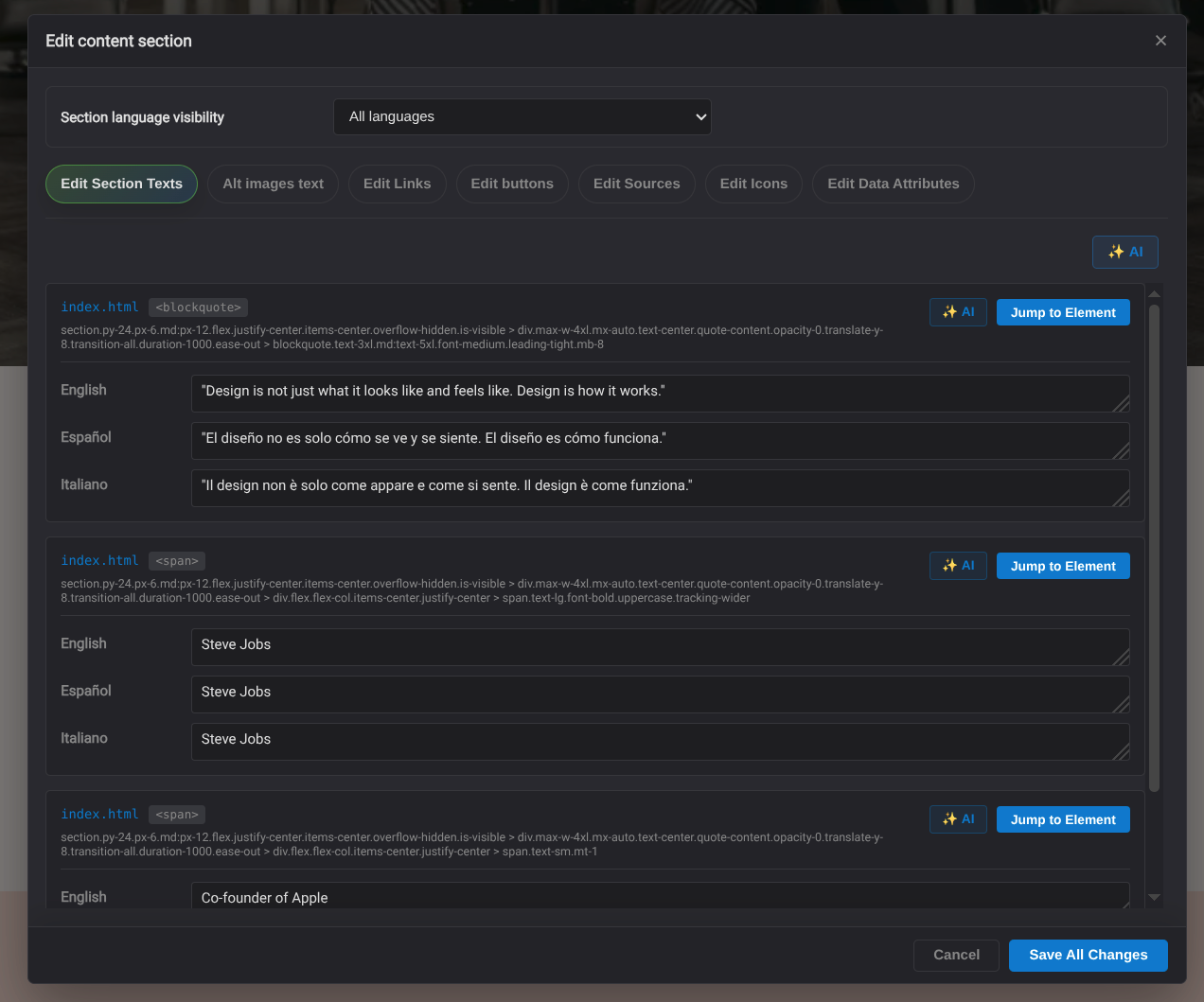
Section Content Editor
The section content editor can edit section texts, image alt text, links, buttons, sources, icons, and data attributes. It also supports section language visibility.

Language Switchers
Quick elements can insert language switcher controls when i18n is enabled. Teluyo supports inline and menu-style language switchers and keeps them synchronized with the project's enabled languages.
Multi-Language Export
Multi-language export generates website output with translated content, language switching, and translated SEO fields.